See the full context
Review the sender, Reply-To address, authentication results, links, and attachment metadata together.

Available for macOS.
Review the sender, destination details, and surrounding message context before you open a link.
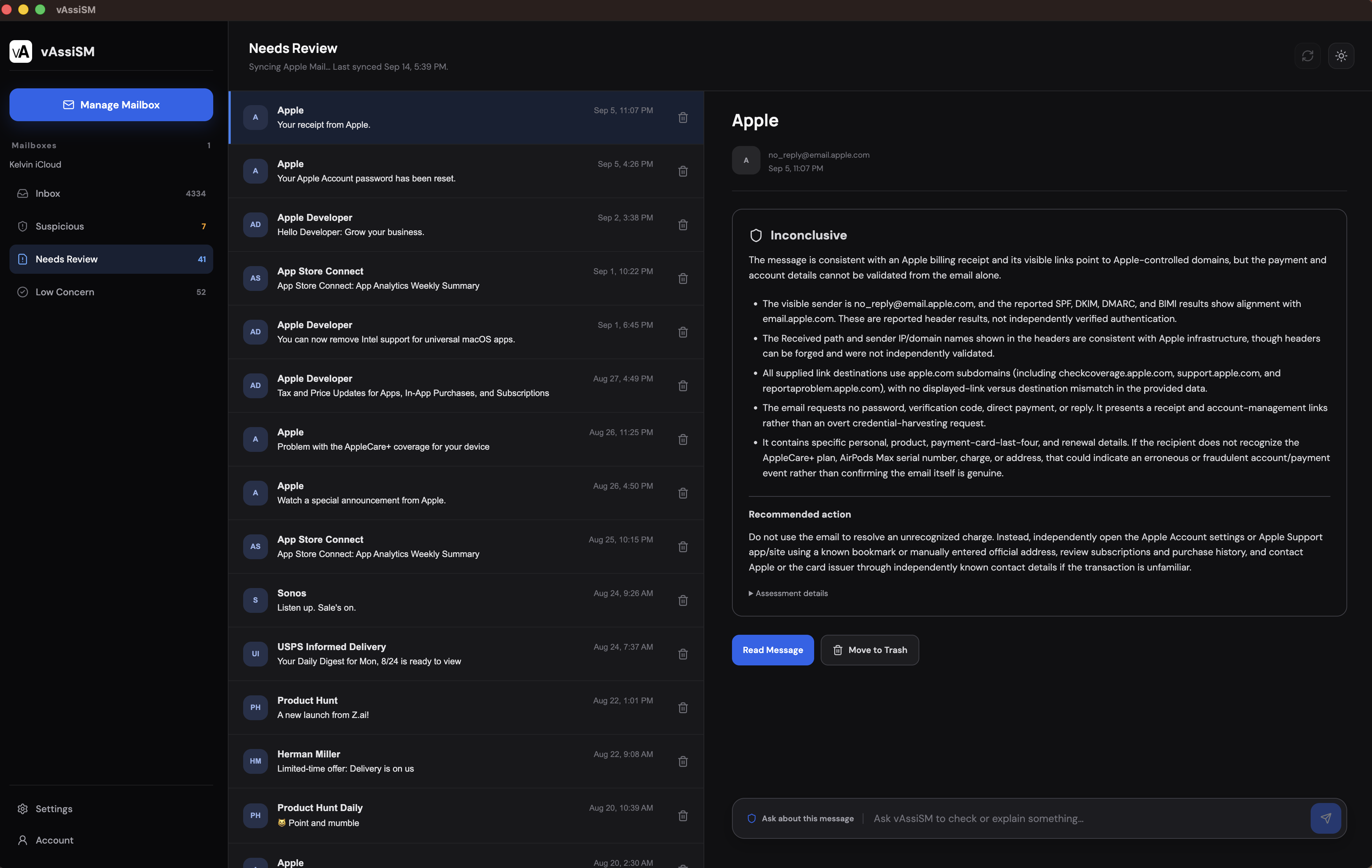
vAssiSM brings sender details, message text, links, and available headers into one focused review before you take action.
Email safety should be understandable at the moment you need it. vAssiSM keeps the message evidence together, explains what it can and cannot establish, and leaves the decision in your hands.
See the sender, subject, links, and available headers before opening message content.
Ask a focused follow-up, verify through a known channel, or move the message to Trash when you are ready.
A suspicious message can look convincing at a glance. vAssiSM slows the moment down and makes the relevant evidence easier to understand.
Compare the visible sender, address, and reply destination before trusting a message.
Identify urgency, unusual requests, mismatched domains, and other clues in the supplied text.
Use a clear assessment to decide whether to read, keep, or remove the message.
vAssiSM explains the evidence while you stay in charge of every action.
Choose an Apple Mail account to import the latest messages available for review.
Open a message record without opening its links or attachments.
Read the assessment, warning signs, limitations, and recommended action.
Read the message, ask a question, verify independently, or move it to Trash with undo available.
Make each decision with the evidence in view. Review the message, understand the assessment, and move unwanted mail to Trash when you are ready.
Reveal the message text only when you are ready to inspect it.
See the sender, links, headers, attachments, and limitations that shaped the result.
Ask a follow-up question or verify the situation through a known safe channel.
Move unwanted messages to Trash and keep an undo path available.
Use the assessment to make a decision, then choose the action that fits the message.
Connect your mailbox, review suspicious messages, and take safer action with one focused desktop app.
Available for macOS.
A few practical answers about mailbox access, analysis, privacy, and safe removal.