Voice or Text
Speak naturally or type what you need.

Liquid
Speak or type what you want done. Liquid helps you browse, work with your apps, and schedule the tasks you repeat.
Get LiquidFor macOS 12 Monterey or later. Apple Silicon and Intel Macs.
Features
Speak naturally or type what you need.
Get help working with apps and completing tasks on your Mac.
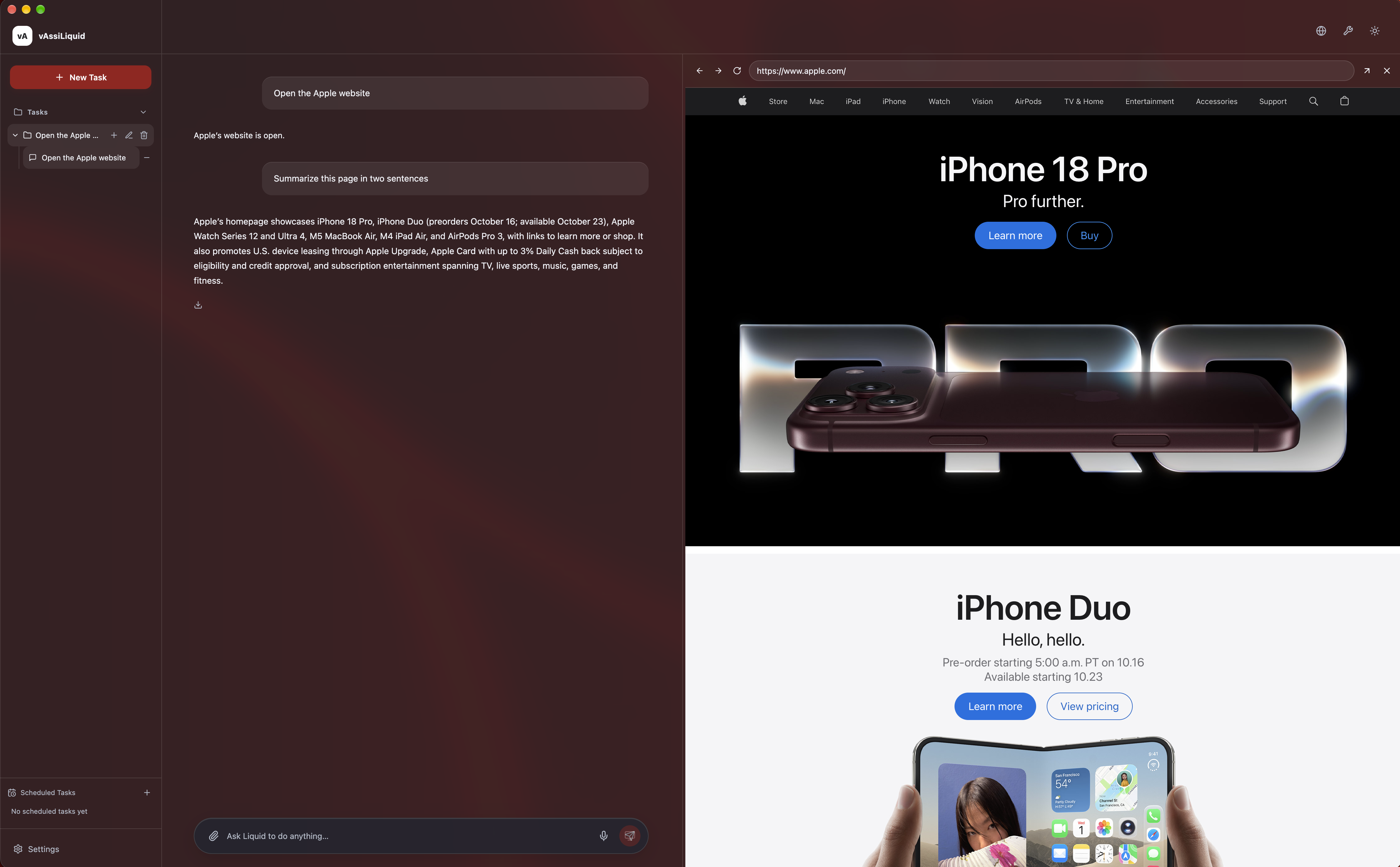
Open websites, follow links, and summarize pages.
Get answers grounded in your attached documents. Liquid treats document content as information to analyze, not permission to take action.
Create custom interactive tools in your conversation, with controls you can adjust and results that respond.
Turn your ideas into images by describing what you want.
Ask once and let Liquid handle tasks on a schedule.
Tell Liquid your preferences so responses feel right for you.
Liquid coordinates the right agents behind the scenes.
Connect your favorite apps through Composio and work with supported services from one conversation.
Agent Orchestration
Different tasks call for different strengths. Liquid coordinates AI agents behind the scenes to help with what you need—from understanding documents to creating images and taking action. Simply ask. Liquid handles the agent choices for you.
Tell Liquid what you want to do, by voice or text.
Liquid brings in the right agents for the task and combines their work.
Get the help you need without choosing agents or switching between them.
Move from a question to an action without breaking your flow. Keep the conversation and the page you are working on together.
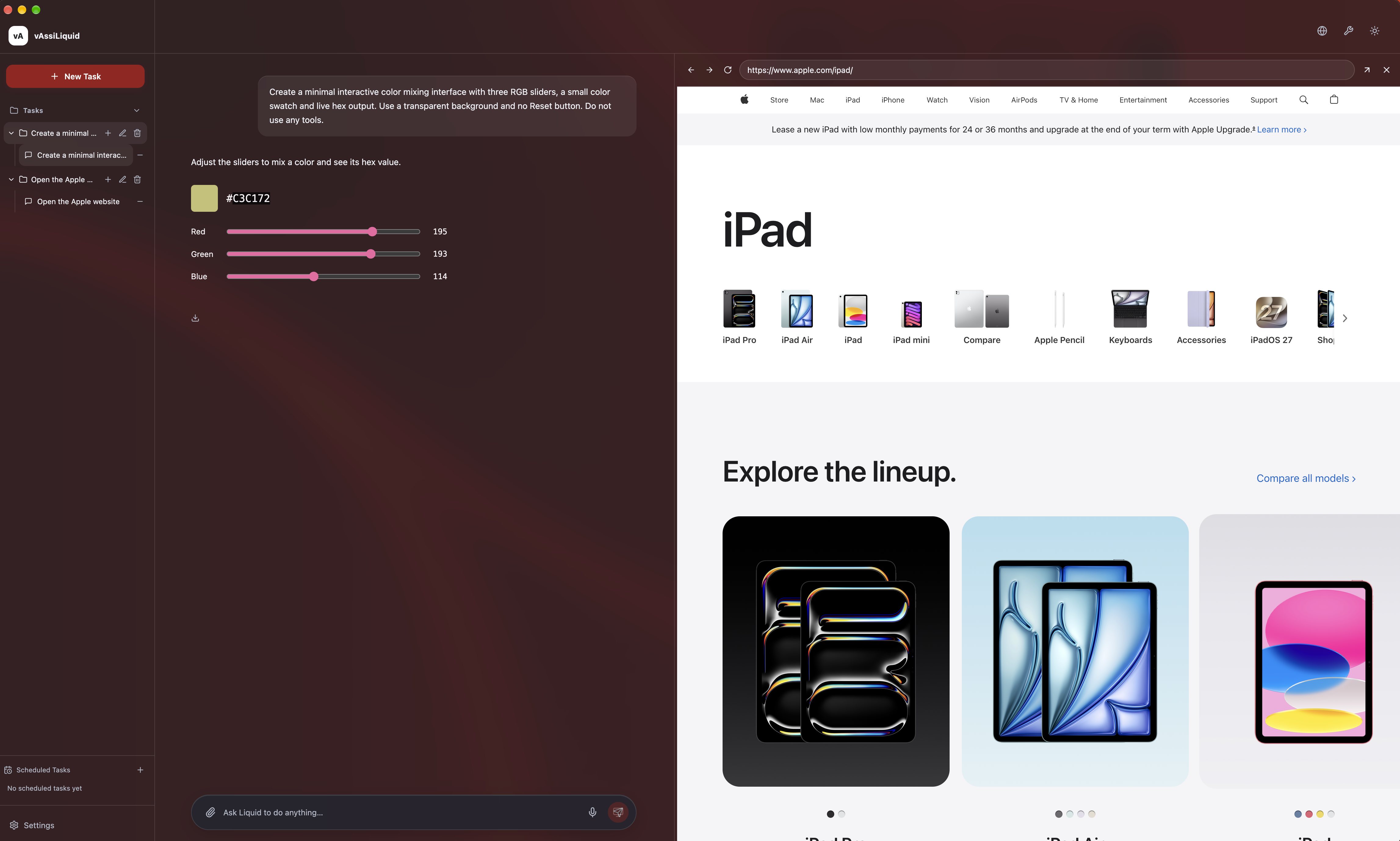
Interaction UI
Ask Liquid to create a calculator, explore an idea, or build a tool for your task. It creates a custom interactive interface right in your conversation, with controls you can adjust and results that respond.
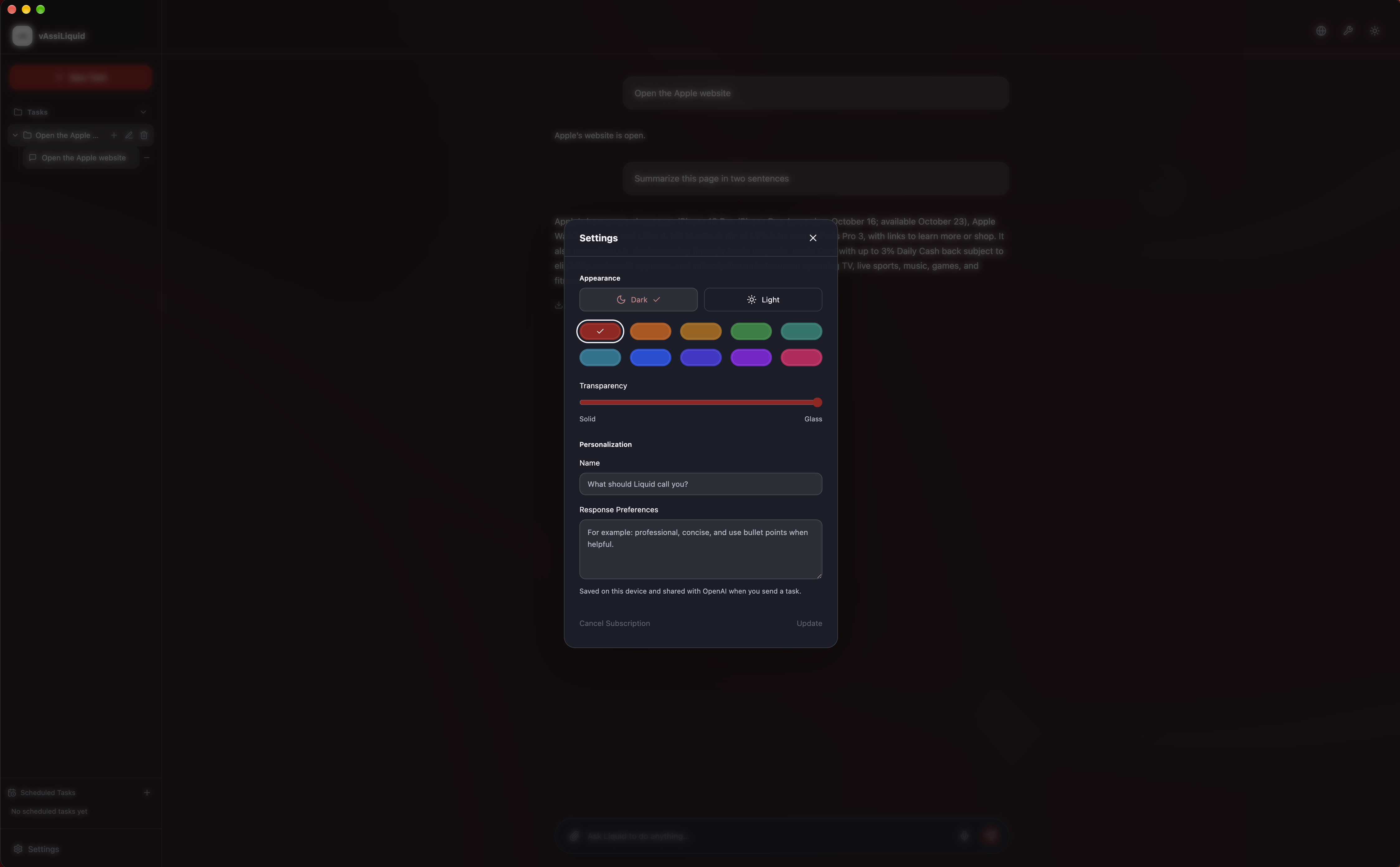
Personalization
Choose your colors, switch between light and dark, and tell Liquid how you like your responses. A few simple preferences make it feel more like you.
Create scheduled tasks through a conversation. Confirm the details, then manage your schedules from the sidebar.
“Every Monday, summarize Apple’s website and email it to me.”
“Check my email every morning and summarize it.” Liquid helps you choose the email source and time.
Supported website and connected-service tasks can run while Liquid is closed. Tasks in your Mac apps need your computer awake and Liquid open.
Security
Powerful assistance should come with clear boundaries. Liquid asks for the access it needs and your approval for sensitive actions.
Sensitive actions require the appropriate account access and your approval. Everyday browsing keeps moving without repeated prompts.
You choose which accounts to connect and which Mac permissions to grant. Review app permissions in your Mac’s privacy settings.
Document answers use the files attached to the task. Content inside documents is treated as information to analyze, not permission to act.
AI requests and uploaded documents are processed by the services that power Liquid. Read our Privacy Policy.
Choose the release for your computer.
Create an account or sign in, then choose your preferences.
Start with a website, an app, a question, or a task you want to repeat.
Liquid requires macOS 12 Monterey or later and supports Apple Silicon and Intel Macs. An internet connection is needed for AI features. Windows and Linux versions are coming later.
Need a hand getting started? Visit Liquid Help.
No. Simply tell Liquid what you need. Liquid coordinates the right agents behind the scenes, so you can focus on what you want to do.
No. Liquid accepts both spoken and typed requests.
Supported website and connected-service schedules can. Tasks that use your local apps require your Mac awake, unlocked, and Liquid open.
Yes. Sensitive actions require the relevant account access and approval. Basic browsing does not need repeated approval.
Microphone access enables voice. Screen Recording and Accessibility access may be needed for help with local apps. Liquid asks when access is needed.
Pricing
Simple pricing for your daily driver.
$29 / month
Voice and text, computer use, web browsing, document analysis, image generation, connected accounts, and scheduled tasks.
All features included, with usage limits. No surprise overage charges.
Try Liquid for 24 hours from your first use, with a limited trial allowance. No automatic charge. Subscribe when you’re ready.
Get Liquid